
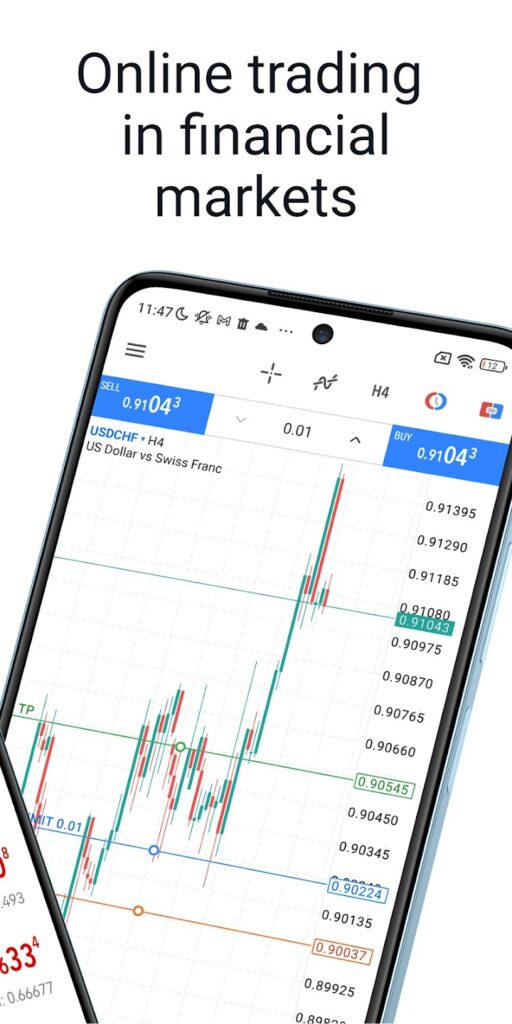
MetaTrader 5 is a free mobile trading platform for tracking financial markets, analyzing charts, and placing orders through a connected broker. It is not a game, broker, bank, or investment service. MetaTrader 5 Mobile is available on Android, iPhone, and iPad, with demo accounts for practice and live trading for users who separately open an account with a financial company.
For users aged 18–40, its main advantage is convenience. You can view real-time prices, use indicators, manage pending orders, set Stop Loss and Take Profit levels, and review trading history from a phone. As of August 1, 2026, Google Play lists more than 50 million downloads and a 4.8-star headline rating from about 1.17 million reviews. The US App Store shows a 4.8 rating from roughly 79,000 ratings.
My verdict: MetaTrader 5 is one of the most capable mobile trading terminals available. However, it is only as trustworthy as the broker connected to it, and beginners should start with a demo account.
What Is MetaTrader 5?
MetaTrader 5 is a multi-asset terminal developed by MetaQuotes. It connects to broker servers so users can receive prices, analyze markets, submit orders, and review account history.
MetaQuotes provides the software but does not hold client funds or act as the broker. The company explicitly describes itself as a software developer rather than an investment or brokerage service.
The app can support forex, stocks, CFDs, and futures when offered by the connected broker. Anyone seeking a casual market game should note that MT5 is a professional finance app with real-money risk.
What Can You Do with MetaTrader 5 Mobile?
MetaTrader 5 Mobile combines chart analysis and account management in one app. Android and iOS offer similar core features, while assets, spreads, leverage, and execution depend on the broker.
Key features include:
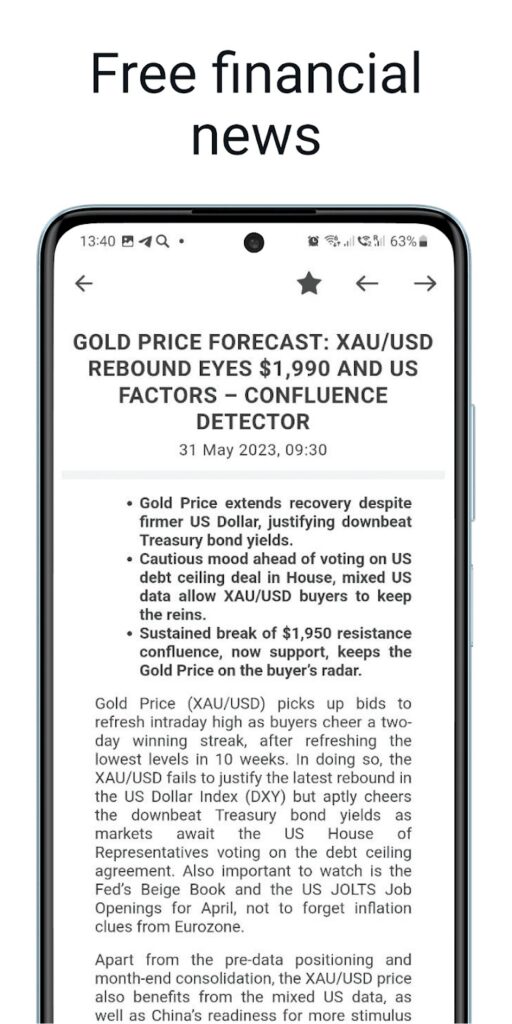
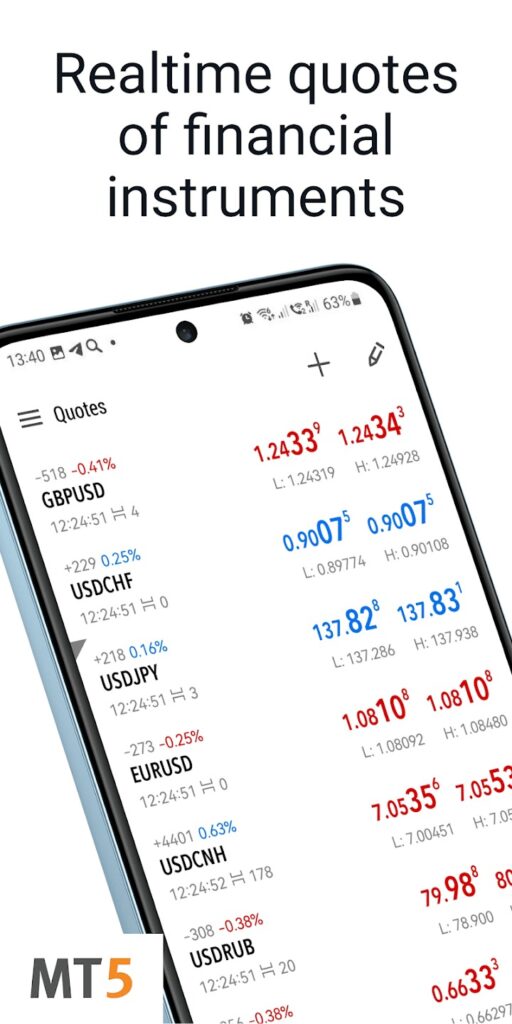
- Real-time quotes, news, and trading history.
- Market and pending orders with Stop Loss and Take Profit.
- Level II market depth with up to 32 quotes on Android.
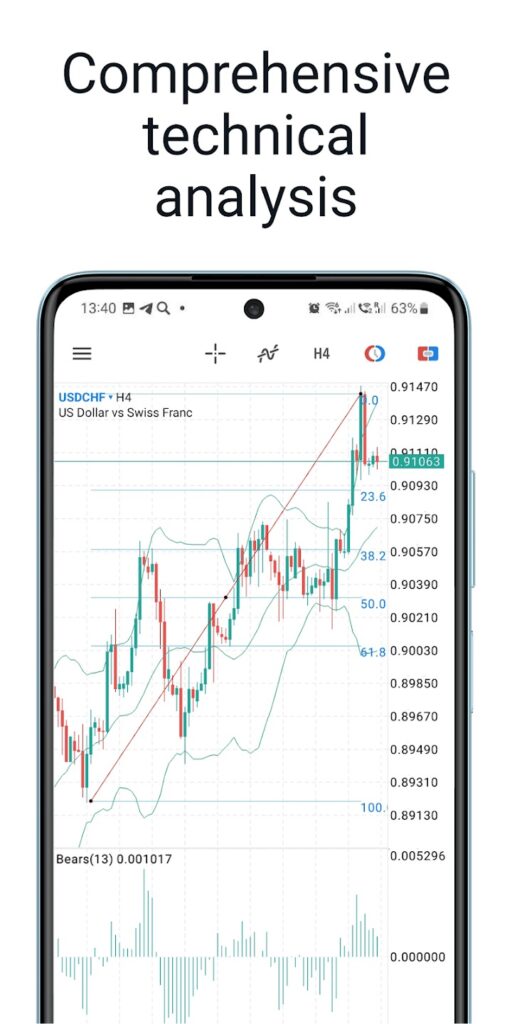
- 30 indicators, 24 analytical objects, and nine timeframes.
- Bar, candlestick, and line charts.
- Push notifications and MQL5.community messaging.
These specifications are listed by MetaQuotes and the official app stores. The nine available timeframes range from one minute to one month.
You can check a chart during a commute, place a pending order, and add risk controls without opening a laptop. Mobile works well for monitoring, but complex analysis is easier on a larger screen.
How Do MetaTrader 5 Android and iOS Compare?
MetaTrader 5 Android and iOS are broadly similar. The main differences are device requirements, interface behavior, and update timing.
The Android listing was updated on July 27, 2026 and shows more than 50 million downloads. The official guide supports phones and tablets and requires internet access to reach a broker server.
The current US iOS listing shows a 35.4 MB app requiring iOS or iPadOS 15.0 or later. The iPad version can display four charts in one window. Both platforms include 30 indicators, 24 analytical objects, and nine timeframes.
Is MetaTrader 5 Good for Beginners?
MetaTrader 5 is learnable, but its terminology can feel technical. Demo trading lets beginners practise opening, changing, and closing orders without risking real money.
The Quotes, Charts, Trade, and History areas are clearly separated. Users should still learn margin, leverage, lot size, and pending orders before funding an account.
The official Android guide allows users to open a demo account directly in the app. A sensible learning process is to practise one order type at a time and define risk before every trade.
Is MetaTrader 5 Safe?
The official app is legitimate software, but installing it does not prove that a broker is safe. Deposits, withdrawals, pricing, leverage, and execution are controlled by the connected financial company.
Google Play says the Android app may collect personal and financial information. It also states that data is encrypted in transit and that users can request deletion.
Apple says financial information, contact details, user content, and identifiers may be linked to users. Usage and diagnostic information may also be collected without being linked to a user’s identity.
Before depositing, verify the broker’s legal entity, regulator, licence number, withdrawal rules, and official domain. Appearing inside MetaTrader 5 is not automatic proof of regulation.
What Are the Pros and Cons?
MetaTrader 5 Mobile is strongest as a portable terminal rather than a complete desktop replacement. It balances advanced order controls with an interface that may feel crowded on a small screen.
Pros
- Free demo access.
- Strong mobile charting.
- Full order and risk controls.
- Support for many brokers and markets.
Cons
- Broker quality varies.
- Small screens can feel crowded.
- Leveraged trading can cause rapid losses.
- Large-screen analysis is more comfortable on desktop.
Final Verdict
MetaTrader 5 is worth downloading for users who need serious charting and order management on Android or iOS. It is particularly useful as a mobile companion for monitoring positions and making quick account adjustments.
Start with demo trading, learn the risk controls, and choose a regulated broker before depositing. Results still depend on strategy, discipline, risk management, and broker quality.
FAQ
Is MetaTrader 5 a game?
No. It is a financial trading platform rather than a game. Demo mode uses virtual funds, while live trading involves real financial risk.
Is MetaTrader 5 free?
The app and demo accounts are free. Brokers may separately charge spreads, commissions, swaps, or other trading fees.
Can I use MetaTrader 5 without a broker?
You can explore the platform through a demo account. Live trading requires an account with a broker that supports MetaTrader 5.
Is MetaTrader 5 available on Android and iPhone?
Yes. MetaTrader 5 Mobile supports Android phones and tablets, as well as iPhone and iPad.
Can beginners use MetaTrader 5?
Yes, especially through its demo mode. Beginners should understand leverage, margin, position size, and order types before using real money.
 LastWave App Review 2026: Is This Android Music Player Worth Sideloading?
 NBA 2K HQ Review: The Head Start That Asks for Your Login
 StbEmu Pro
 Notability: AI Note Workspace