
Delta Exploits is a mobile Roblox script executor designed primarily for Android and iOS users. After reviewing its interface, platform options and general user flow, my first impression is that Delta tries to make script execution feel simple, modern and accessible to people who do not want to deal with complicated desktop tools.
The mobile-first layout is one of its strongest qualities. The menus appear straightforward, the script-management concept is easy to understand, and the overall presentation feels more polished than many tools in the same category.
However, I would not describe Delta Exploits as a risk-free application. It operates outside Roblox’s intended gameplay environment, and using tools of this type may result in account moderation. Installing third-party APK or IPA files also introduces security concerns that cannot be ignored.
My overall verdict is mixed. Delta looks convenient and beginner-friendly, but the potential cost of losing an account or installing an unverified package is much greater than the short-term benefit of running scripts.
What Is Delta Exploits?
Delta Exploits is a third-party tool that allows users to load and execute Roblox scripts on mobile devices. It is mainly aimed at Android and iOS players who want an executor without relying on a Windows computer.
From a usability perspective, Delta is clearly designed for younger and less technical users. The interface does not appear overloaded with advanced settings, and the main functions are presented in a way that should be understandable even to someone using an executor for the first time.
The typical experience revolves around a few core actions:
- Opening the executor
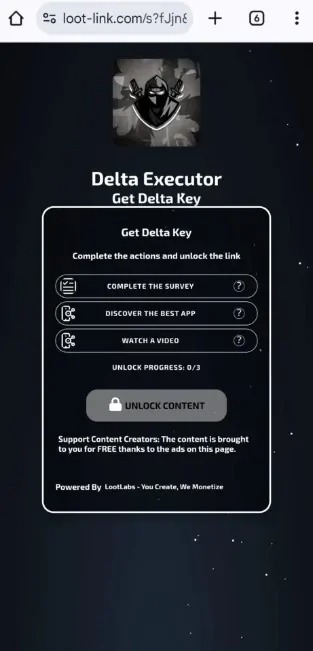
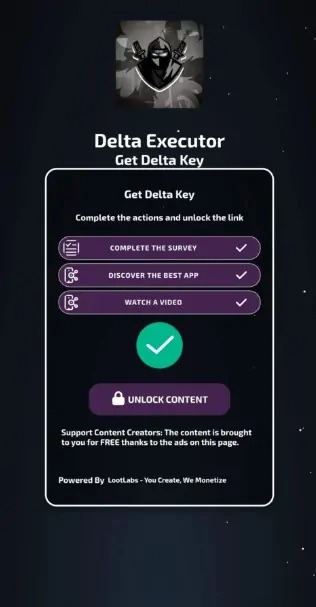
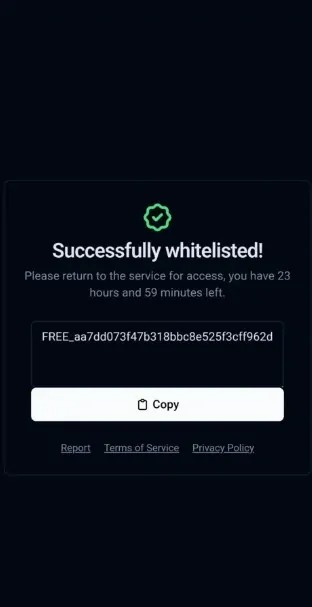
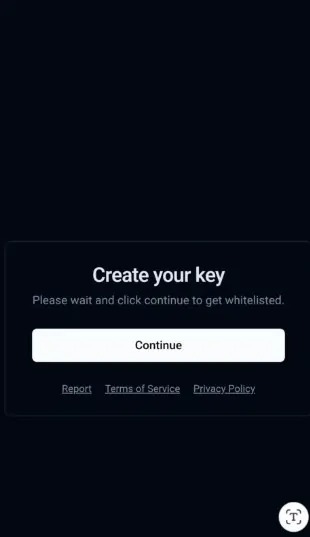
- Completing an access-key process
- Finding or pasting a script
- Saving scripts for later
- Running the selected script
I like that Delta attempts to keep these functions in one place. Constantly switching between browsers, script forums and file managers can become annoying on a phone.
At the same time, the simplicity can create a false sense of safety. An application can be easy to navigate while still exposing the user to account or device risks.
How Does Delta Exploits Android Feel to Use?
Delta Exploits Android appears to offer the most direct version of the mobile experience. The APK format makes installation relatively accessible, but it also requires users to trust software distributed outside the standard app-store process.
The Android layout is the part of Delta that feels most natural. Android offers more flexibility for third-party applications, so the executor concept fits the platform better than it does on iOS.
My positive impressions include:
- A mobile-oriented interface
- Clear script-management functions
- A relatively simple execution workflow
- Convenient access to saved scripts
- Less dependence on a desktop computer
The design is functional rather than sophisticated. That is not necessarily a negative. For a tool like this, I prefer clear buttons and readable menus over unnecessary animations.
The main issue is the installation method. An APK downloaded outside Google Play does not receive the same level of platform review as a conventional Play Store application.
Before considering any third-party APK, I would examine its requested permissions carefully. An executor should not need access to contacts, text messages, financial information or unrelated personal files.
I would also avoid installing it on my main phone. A spare device with no banking applications, password manager or important accounts would reduce the potential impact, although it would not remove the Roblox account risk.
What Is My Impression of Delta Exploits iOS?
Delta Exploits iOS offers a similar concept, but the installation experience is naturally less straightforward. Apple places tighter restrictions on third-party applications, so IPA-based tools may involve certificates, signing services or installation profiles.
The iOS version is appealing because many Roblox players use an iPhone or iPad as their primary gaming device. Having a mobile executor without switching platforms sounds convenient.
In practice, I find the iOS side less reassuring than Android. The additional steps required to install software outside the App Store introduce more opportunities for errors, expired certificates and untrusted profiles.
Common frustrations may include:
- Application certificates becoming invalid
- The app stopping after an iOS update
- Reinstallation being required
- Direct-install methods becoming unavailable
- Device profiles requesting excessive permissions
The interface itself may feel similar across both platforms, but the surrounding installation process is not equally convenient.
For that reason, I would consider Delta Exploits Android the more practical version. I would not interpret that as meaning Android is automatically safe; it is simply a more flexible platform for this type of application.
Which Delta Exploits Features Stand Out?
The most useful Delta features are its mobile interface, script-storage system and centralized workflow. These functions reduce the number of steps required to manage scripts on a small screen.
The script library is the feature I find most valuable from a user-experience perspective. Repeatedly copying long script strings on a phone is inconvenient, particularly when moving between a browser and another application.
Saving frequently used scripts makes the process less repetitive. A built-in script hub can also make discovery easier for new users who do not know where to begin.
The features that stood out to me were:
- Mobile script execution: The entire experience is built around smartphones and tablets.
- Saved scripts: Frequently used scripts can be organized for quicker access.
- Script hub: Users can browse available options without searching manually every time.
- Key-based access: Delta uses an access process before unlocking the executor.
- Cross-platform availability: Both Delta Exploits Android and Delta Exploits iOS are presented as supported options.
The key system is also one of my least favorite parts. Key processes are common among free executors because they help generate advertising revenue, but they can become frustrating when they involve redirects, repeated verification pages or unclear download buttons.
A good executor interface should feel simple after opening the application. It should not require users to navigate a confusing chain of advertisements just to reach the main screen.
Is Delta Exploits Easy for Beginners?
Yes, Delta appears easier to understand than many traditional script executors. Its mobile-focused design and limited number of primary functions make the learning curve relatively small.
A beginner can probably understand the basic workflow without reading a long technical guide. The interface separates script input, execution and saved content in a logical way.
That simplicity is probably the main reason Delta attracts attention among mobile Roblox players. Users do not need to configure a complex development environment or understand advanced Lua programming.
However, easy access is not always a benefit. Beginners may run scripts without understanding what the code does.
A script can modify gameplay, send external requests or perform unexpected actions. Copying code from an unknown source is effectively giving someone else permission to decide what the executor does.
My recommendation is simple: never assume a script is safe because it has a popular name or appears in a community channel.
What Did I Like About Delta Exploits?
I liked the mobile-first design, straightforward navigation and convenient script organization. Delta makes a technically complicated activity feel more approachable on a phone.
The strongest parts of my assessment were:
- The interface does not feel excessively complicated.
- Script storage reduces repetitive copying and pasting.
- Android and iOS users are both considered.
- The layout is suitable for smaller screens.
- The main tools are easy to identify.
Delta also understands its target audience. It does not try to present itself as a professional coding platform. Everything is focused on quick access and convenience.
From a pure design perspective, that focus is effective.
What Did I Dislike About Delta Exploits?
My biggest concerns are account enforcement, third-party installation and the uncertainty surrounding downloaded scripts. These risks are more important than interface quality or execution speed.
The disadvantages include:
- Possible Roblox account suspension or deletion
- APK and IPA installation risks
- Unstable compatibility after game updates
- Potentially intrusive key-system redirects
- Unknown scripts from external creators
- Limited independent security transparency
Compatibility is another concern. Roblox updates regularly, and an executor can stop working when the game changes.
Fast updates may reduce downtime, but no third-party executor can guarantee permanent compatibility. Mobile users should expect occasional crashes, failed execution or a temporarily unavailable application.
I also dislike how tools in this category can encourage users to ignore normal security habits. Disabling antivirus protection or approving an unknown device profile should never be treated as a routine installation step.
Can Delta Exploits Get a Roblox Account Banned?
Yes. Using an exploit tool can result in account moderation because script execution creates unauthorized changes to gameplay. The consequence may range from a warning or temporary suspension to permanent account deletion.
I would never test Delta on a Roblox account containing valuable items, Robux or years of progress.
Using an alternate account may protect a main profile from direct enforcement, but it does not make exploiting acceptable. It also does nothing to protect the device from an unsafe application or malicious script.
This is the point that matters most in my review. Delta may work exactly as intended and still be a bad choice for the user.
A product does not need to be technically broken to create a poor risk-to-reward ratio.
Is Delta Exploits Safe for Mobile Devices?
I would not label Delta Exploits completely safe without an independent audit of the installation files and application behavior. The greatest risk comes from trusting third-party packages, advertisements and scripts from unknown developers.
Users should be cautious when an installation requests them to:
- Disable built-in security protection
- Install an unknown device profile
- Enter Roblox credentials outside the official login
- Download several different files
- Grant permissions unrelated to script execution
- Complete suspicious surveys or payment forms
I would immediately stop the installation if any page requested a Roblox password directly. Login credentials should only be entered through an official Roblox authentication process.
Two-factor authentication should also remain enabled. It will not prevent account moderation, but it can reduce the risk of account theft.
Is Delta Exploits Worth Using in 2026?
In my opinion, Delta Exploits is not worth using on a main Roblox account or personal mobile device. Its interface is convenient, but the convenience does not outweigh the risks associated with exploits and unverified software.
I understand why users are interested in it. Delta offers a compact mobile experience, removes some technical barriers and makes script management easier.
As a piece of interface design, it is more accessible than many alternatives.
As a tool that requires users to risk an account and install software outside normal distribution channels, it is much harder to recommend.
For people interested in scripting, Roblox Studio is a more productive long-term option. Learning Lua and building legitimate game features takes more effort, but those skills can be used for development rather than temporary gameplay advantages.
Final Verdict
Delta Exploits delivers a simple and reasonably organized mobile executor experience, especially on Android. Nevertheless, I would not recommend it to most Roblox players because the account and device risks are greater than the practical benefits.
My final rating is based on five areas:
- Interface: Easy to understand
- Mobile usability: Strong on Android, less convenient on iOS
- Feature organization: Useful script-management tools
- Reliability: Likely to depend on Roblox updates
- Safety: Too uncertain for a confident recommendation
Delta succeeds at making mobile script execution feel accessible. That is also what makes it potentially dangerous for inexperienced users.
My advice is to judge it by more than appearance. A clean interface cannot protect an account from moderation, verify every external script or guarantee that a third-party installation package is secure.
For those reasons, Delta Exploits earns a cautious review rather than a recommendation.
Frequently Asked Questions
Would I use Delta Exploits on my main Roblox account?
No. I would not risk an established account, purchased items or saved progress for the temporary convenience of running scripts.
Do I think Delta Exploits Android is better than iOS?
Yes, from a usability perspective. Android handles third-party installations more naturally, while iOS may involve additional signing, certificate or profile complications.
Is Delta Exploits easy for a first-time user?
The interface appears beginner-friendly and the main functions are easy to understand. However, beginners may have difficulty judging whether a downloaded script is trustworthy.
What is my biggest concern about Delta Exploits?
My biggest concern is the combination of account-enforcement risk and unverified third-party software. Either issue can create consequences that outweigh the benefits.
Would I recommend Delta Exploits in 2026?
I would not recommend it for a main account or personal device. Users interested in Roblox scripting would gain more value from learning Lua through Roblox Studio.
 LastWave App Review 2026: Is This Android Music Player Worth Sideloading?
 NBA 2K HQ Review: The Head Start That Asks for Your Login
 StbEmu Pro
 Notability: AI Note Workspace