
Sled Surfers is a free mobile game from CrazyLabs built around downhill sled runs, obstacle dodging, upgrades, and short repeatable sessions. It is available on Android and iOS; Google Play lists 10M+ downloads, while CrazyLabs reports 20 million downloads in its own game portfolio. The U.S. App Store currently lists it as free with in-app purchases, rated 13+, with English as the listed language and a 331.1 MB size.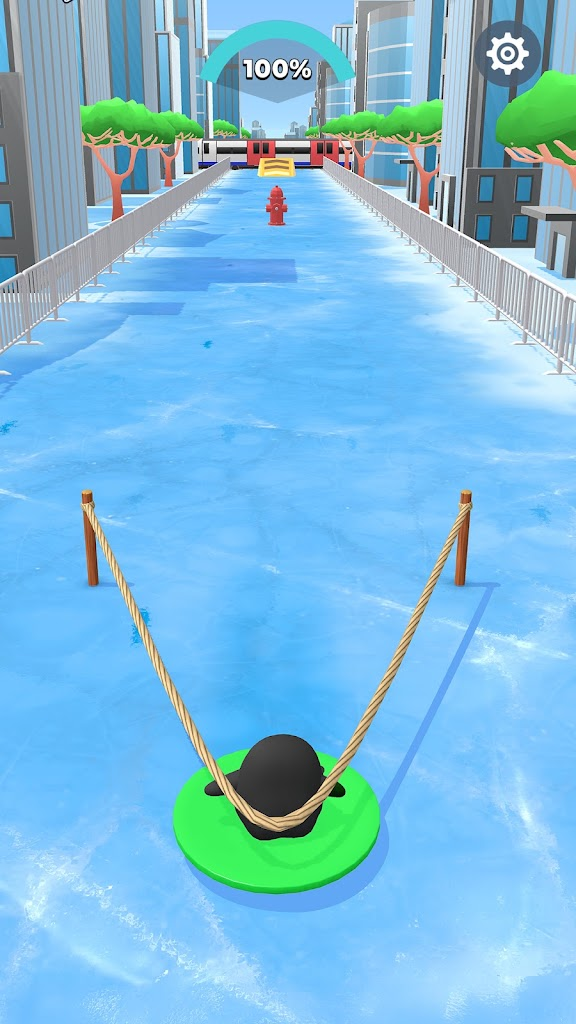
The original release date is the one hard detail I could not verify from CrazyLabs’ current public pages or visible Apple metadata. Third-party App Store intelligence places the first release on April 29, 2025, so I treat that date as useful but not first-party-confirmed.
I’m Central Nguyen, and my take is straightforward: Sled Surfers works best as a quick “one more run” game, but its progression and monetization determine whether I would keep it installed.
What is Sled Surfers, and how does the game work?
The Sled Surfers game is a casual action title about steering through snowy courses, avoiding hazards, collecting rewards, and improving your setup between runs. Google Play describes endless-style play alongside level-based challenges, while the App Store notes unlockable riders and sleds.
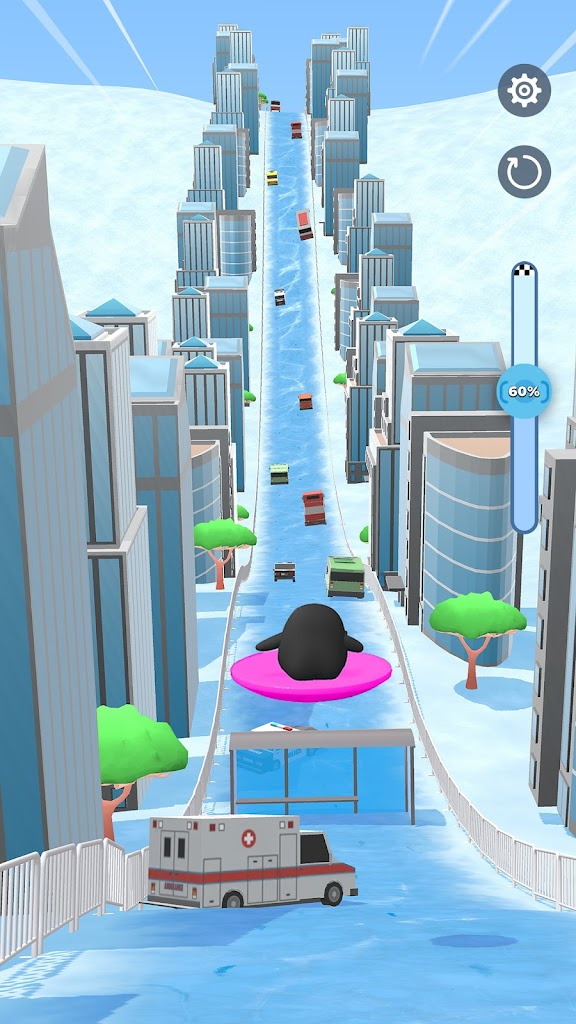
What matters more to me is the rhythm. A run starts quickly, the screen keeps pulling forward, and the fun comes from making small corrections before a tree, ice patch, or narrow line ends the attempt. One personal moment I like is that split second when I stop watching rewards and start reading the terrain; that is when Sled Surfers feels like a game instead of an upgrade loop.
I like how little explanation the basic idea needs. Still, I am wary of progression that repeatedly asks players to rebuild momentum, especially because App Store reviews describe frustration after advancing.
Is Sled Surfers Mobile fun enough to keep playing?
Yes, if you enjoy short arcade loops and visible upgrades; probably not if you need deep mechanics or constant variety. My opinion is that Sled Surfers Mobile is strongest during the run itself, when steering and risk matter more than menus.
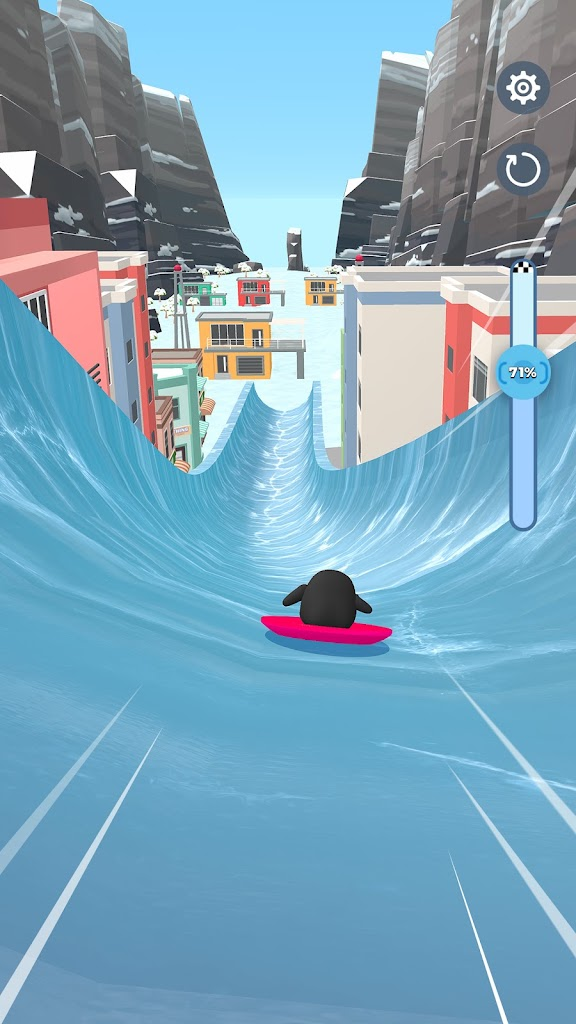
Official store descriptions mention routes through mountains, forests, caves, cities, and other winter settings. A change of scenery helps a simple control scheme stay visually fresh.
A second personal moment: barely recovering from a messy landing is exactly the kind of small save that makes me grin. However, recent App Store reviews complain about repeated levels, so players chasing constant novelty should keep expectations modest.
Is Sled Surfers Android or iOS the better fit?
Both versions deliver the same core idea, so I would choose the platform you already use. Google Play lists the Android release at 10M+ downloads with ads and in-app purchases; the Sled Surfers iOS version is listed as free, 13+, 331.1 MB, and requires iOS 15 or later.
I would not switch ecosystems for it. The U.S. App Store currently shows 4.7/5 from 72K ratings, while an indexed Google Play listing shows about 4.5 stars from 237K reviews; store figures change by region and date.
Pros
- Fast sessions: runs start quickly, which suits short breaks.
- Clear premise: steering, hazards, and upgrades are easy to understand.
- Broad reach: CrazyLabs reports 20M downloads.
Cons
- Ads and purchases: both stores disclose monetization.
- Progression friction: user reviews mention repetitive rebuilding and limited attempts.
- Limited depth: I would not recommend it to players wanting complex racing physics or competitive multiplayer.
Is a Sled Surfers APK safe to download?
The safest route is Google Play or the Apple App Store. A Sled Surfers APK from a third-party site can be modified, outdated, or bundled with unwanted code, and I do not think that uncertainty is worthwhile when the official Android version is free.
My rule is simple: if an APK page promises unlocked paid content, unlimited currency, or removed ads, I treat that as a warning sign.
Before installing an APK file:
- Verify the package name
com.sled.surfers.gameagainst Google Play. - Prefer Google Play over an APK mirror.
- Scan sideloaded files with a reputable malware service.
- Review permissions after installation.
- Avoid modded builds and forced extra downloaders.
- Keep Google Play Protect enabled.
My third personal moment is less exciting: I would rather spend thirty seconds checking a package than spend an evening cleaning up a compromised phone. For this game, the official store is the sensible choice.
FAQ
Is Sled Surfers free to play?
Yes. The U.S. App Store lists Sled Surfers as free with in-app purchases, while Google Play discloses ads and paid items. I see it as free-to-start rather than completely cost-free, because monetization is clearly part of the experience.
Who made Sled Surfers?
CrazyLabs is the developer shown on Google Play and the U.S. App Store. I think that context matters because its design feels built around repeatable mobile sessions and retention, not around a premium one-time purchase with a fixed ending.
Can I play Sled Surfers on iPhone?
Yes. The U.S. App Store lists iPhone and iPad support, requires iOS 15 or later, and lists English as the supported language. If your device qualifies, I would use the App Store build rather than search for unofficial installation methods.
Is Sled Surfers available on Android?
Yes. Sled Surfers is listed on Google Play under CrazyLabs LTD, with more than 10 million downloads shown on the store page. For Android users, I consider that listing the default source and would sideload only for a specific technical reason.
Is Sled Surfers worth downloading in 2026?
I think Sled Surfers is worth trying if you enjoy lightweight arcade games, short runs, upgrades, and snowy visuals. I would skip it if ads, repeated progression, or limited mechanical depth bother you. Because the entry price is free, the real question is how much friction you tolerate.
DOWNLOAD LINK


Choose the appropriate version for your device.
 DAVE THE DIVER Review 2026: Is This Hybrid Game Worth Your Time?
 American Farming 2 Review: Is This Mobile Farm Sim Worth It in 2026?
 Clash of Clans Review 2026: Can My Dorm-Room Obsession Survive a 9-to-5?
 Fantasy Life i Review: LEVEL-5’s Cozy RPG in Your Pocket